> For the complete documentation index, see [llms.txt](https://docs.notional.finance/notional-v3/llms.txt). Markdown versions of documentation pages are available by appending `.md` to page URLs; this page is available as [Markdown](https://docs.notional.finance/notional-v3/ntokens/ntoken-mechanics/minting-ntokens.md).
# Minting nTokens
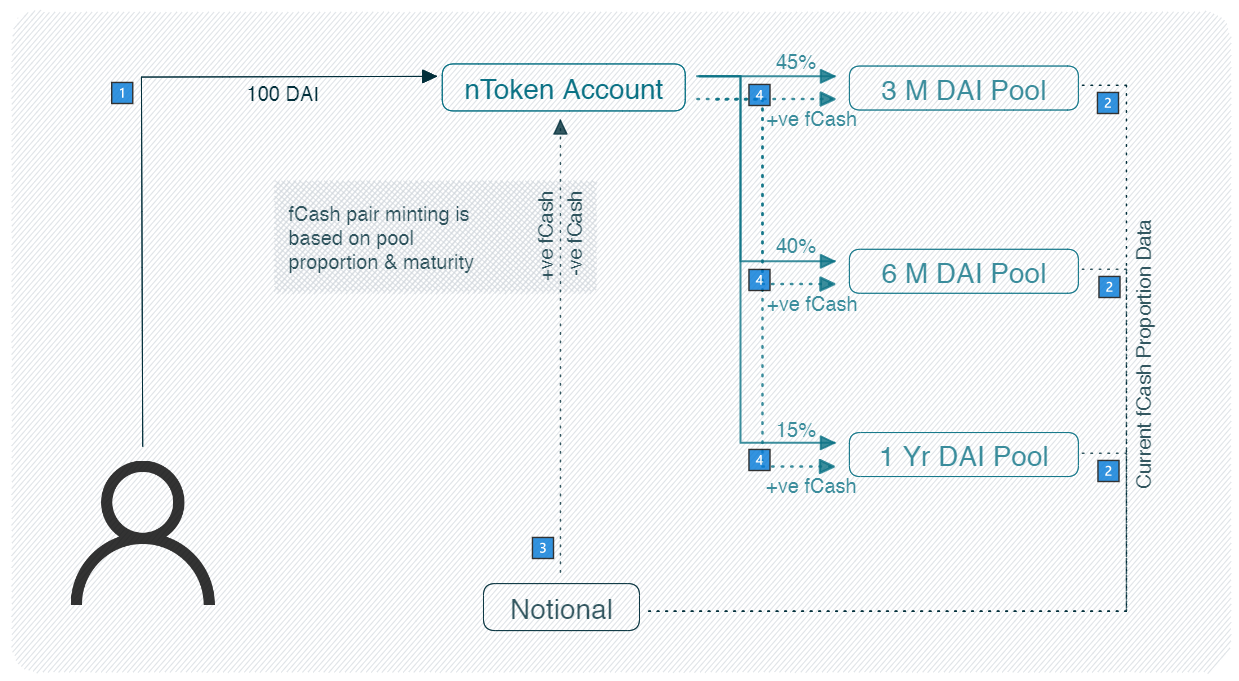
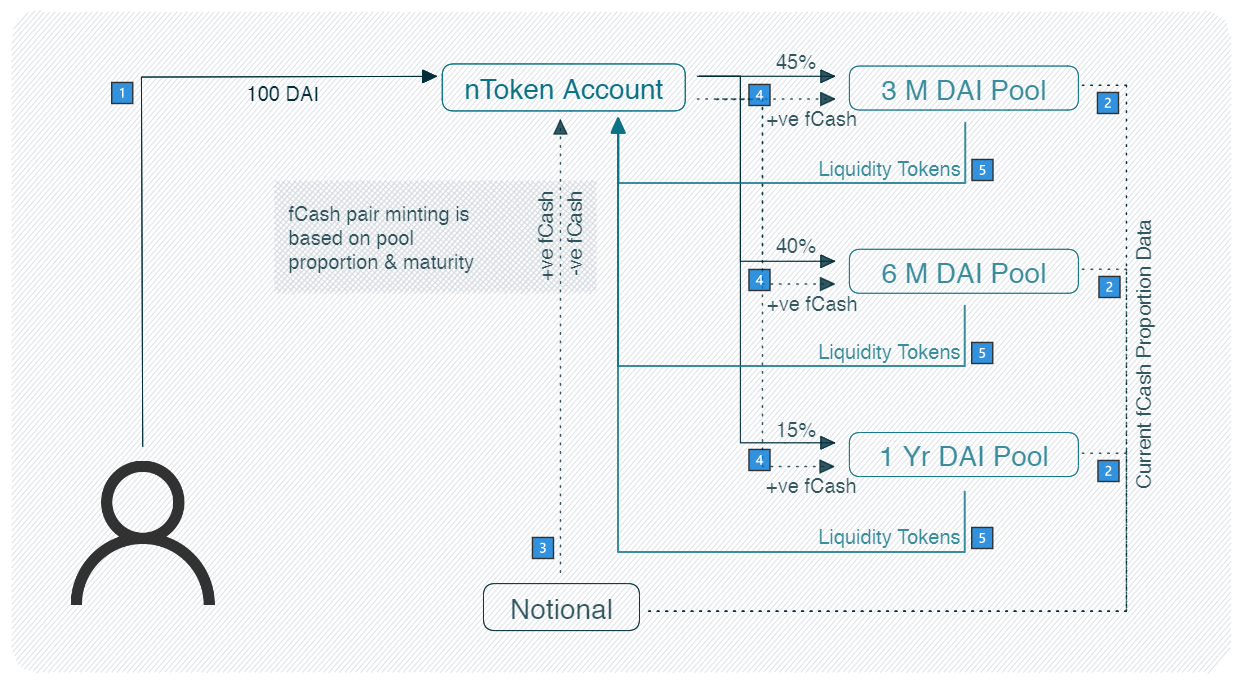
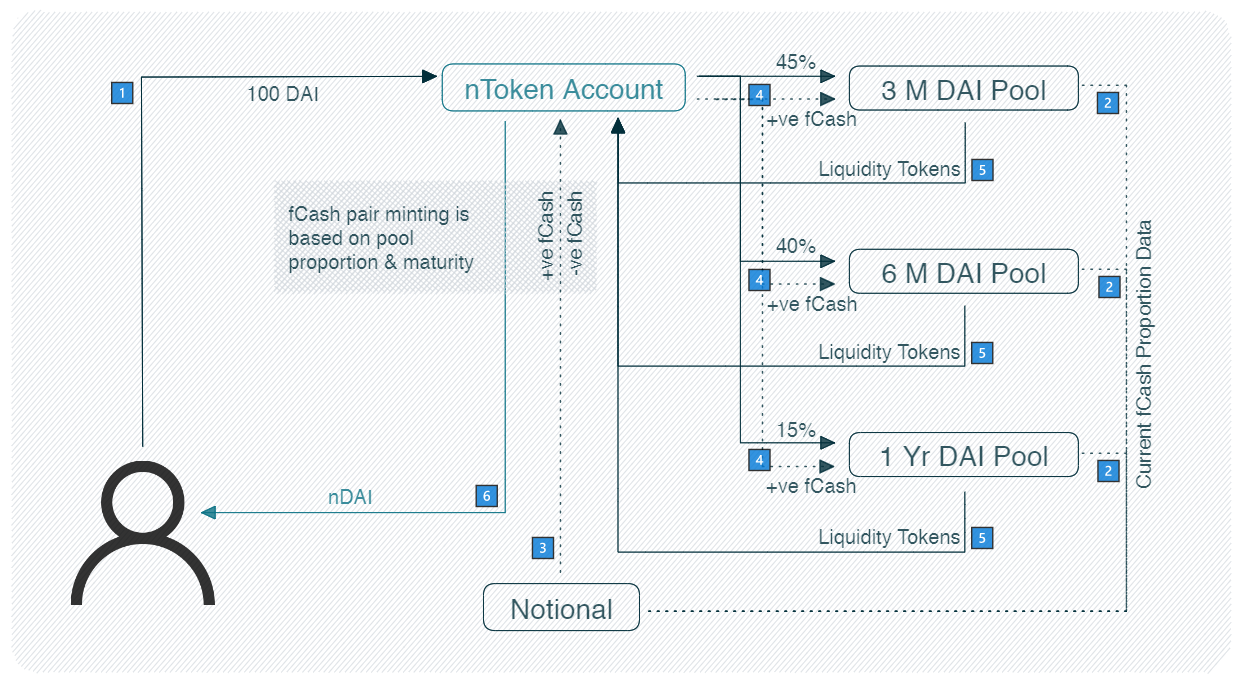
When a user mints nTokens, they deposit cash into the nToken account and the nToken distributes their liquidity to the individual liquidity pools.
Here is a step-by-step flow of minting nTokens.
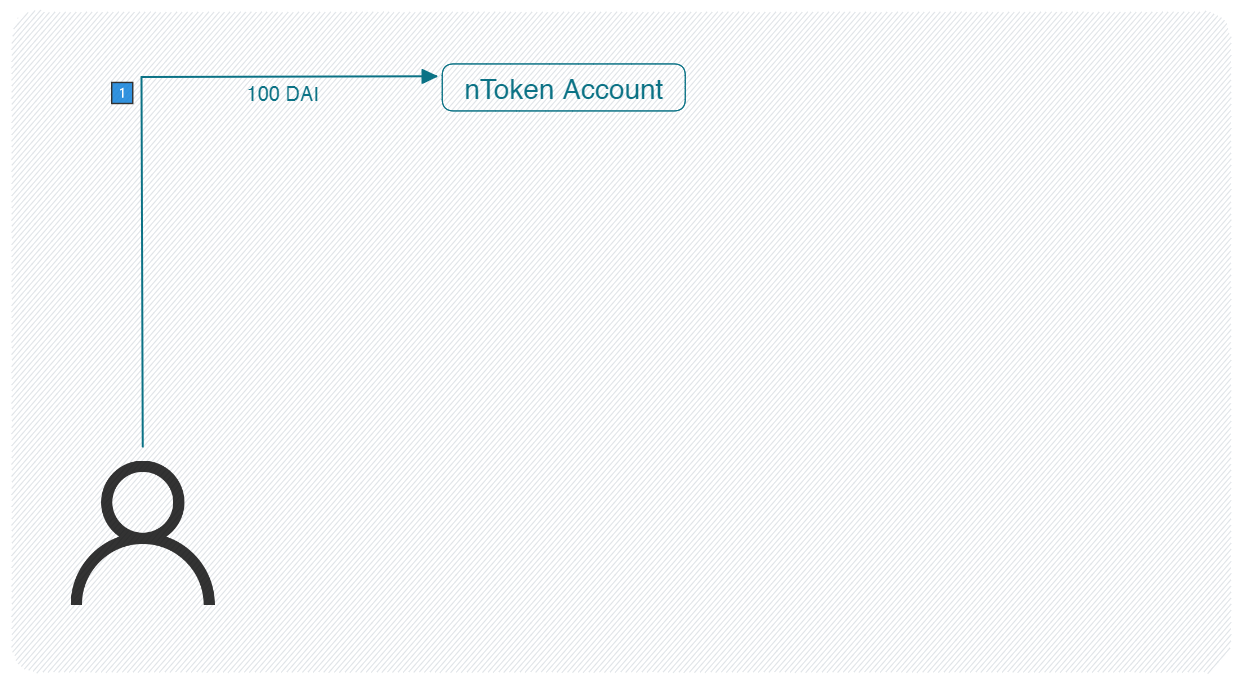
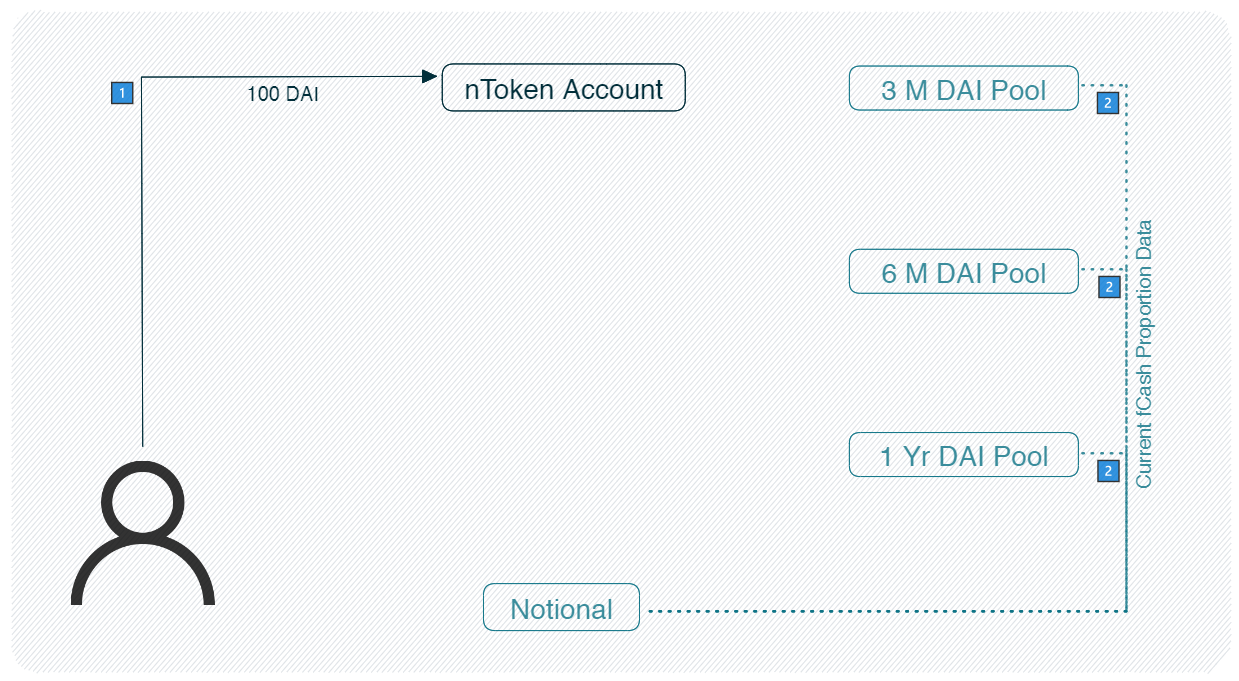
1. A user deposits cash (in this example, DAI) into the nToken account.
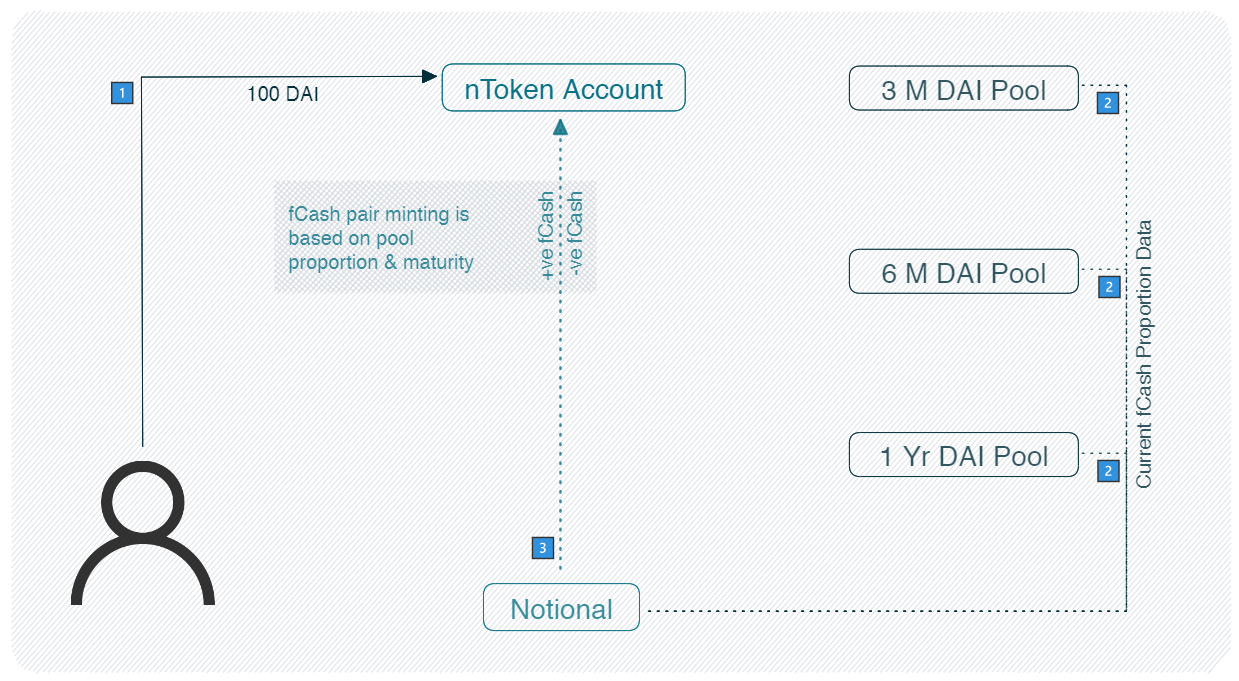
2. To provide liquidity, the nToken account needs to mint fCash for each liquidity pool and deposit it in the proper proportion. The second step is for the nToken to fetch the proportion data from the liquidity pools
3. Based on the proportion data fetched from the liquidity pools, the nToken mints the fCash pair for each maturity. Find background on how this process works [here](/notional-v3/fixed-rate-liquidity-pools/fixed-rate-liquidity-pool-mechanics.md).
4. The nToken allocates the cash and fCash to the different liquidity pools based on the deposit shares.
5. The nToken receives liquidity tokens in exchange for the liquidity provided to the pools.
6. Lastly, Notional mints nTokens and gives them to the user.